Stay on the page.
Tabple sits beside it.
Tabple extensions open in the Whale sidebar and the Chrome side panel. Keep copied text, today's tasks, your next meeting and daily routines at hand without leaving the page you are on.
Free to install on desktop Chrome (version 120 or later) and Whale. Calendar is only on Whale for now. They work on this device without signing in. The extensions are in Korean for now.
Real extension screens filled with sample data.
Install only what you need.
Each app is a separate extension. Use just one, or connect them to the same Tabple account so they work together.

Tabple Clip
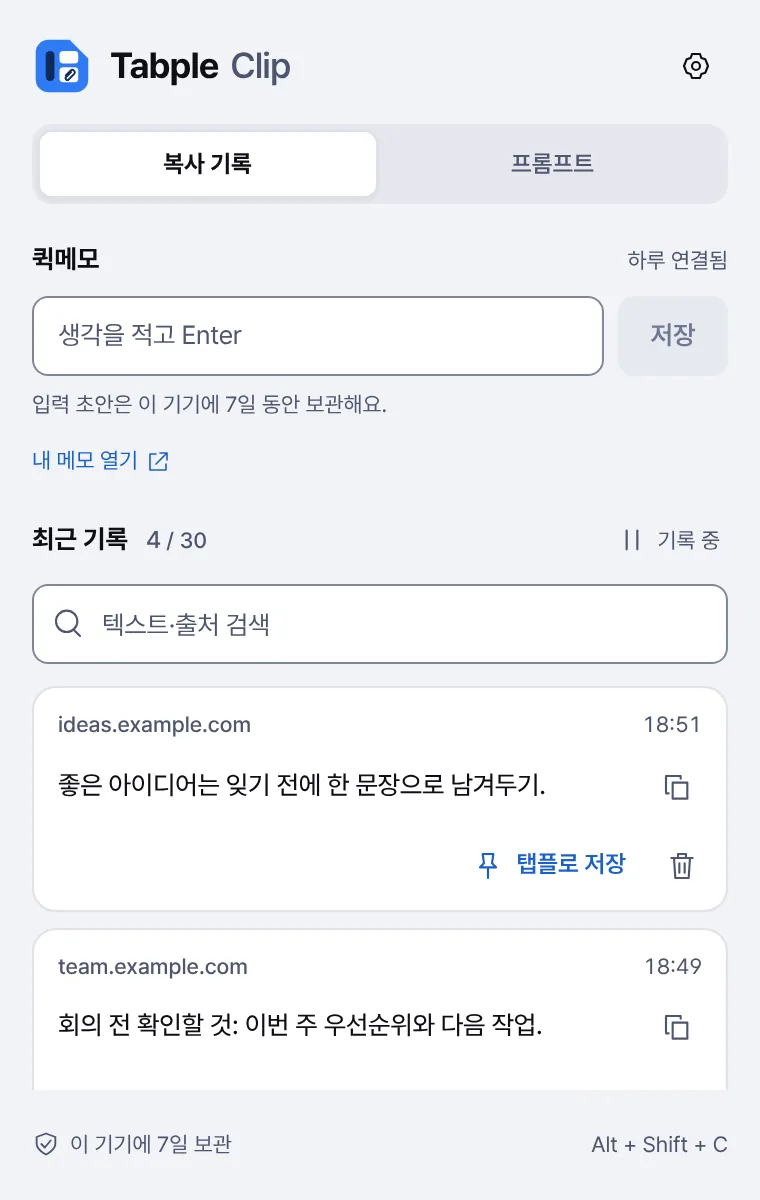
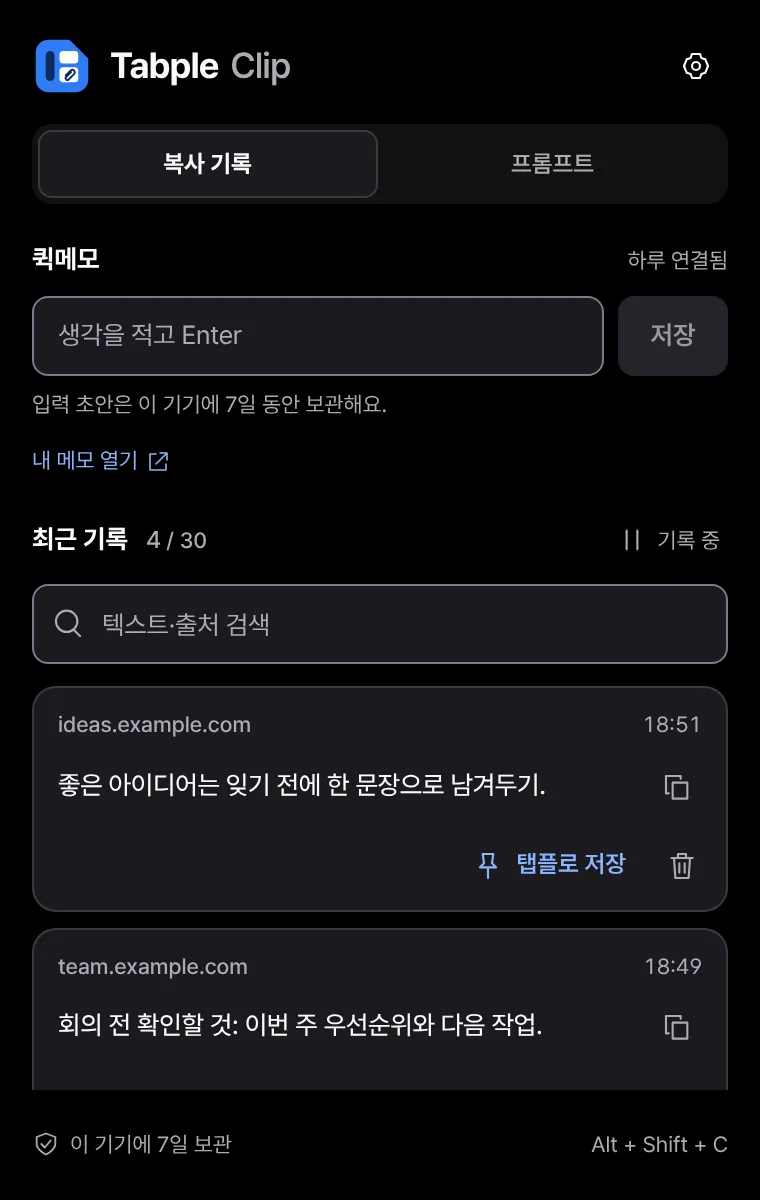
Clipboard history and quick memos
Collects text you copy on the web together with its source, so you can copy it again with one click.
- Search and re-copy your history
- Copy saved phrases with shortcuts
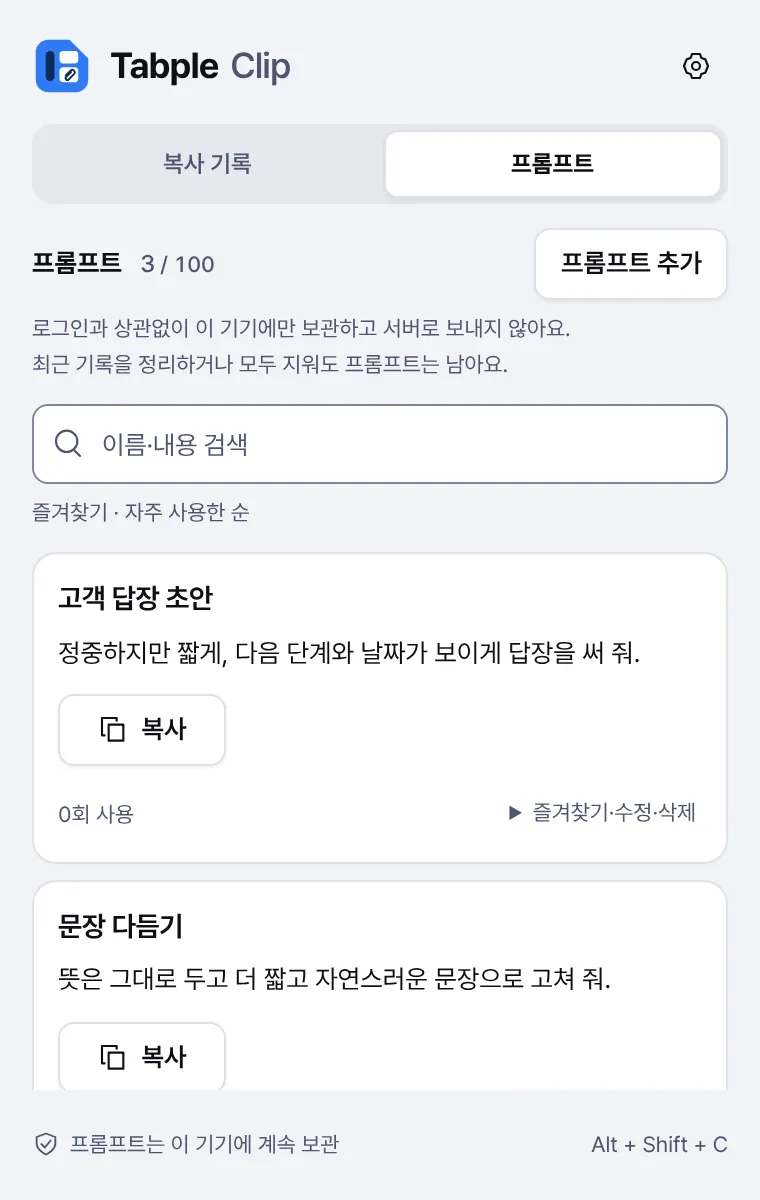
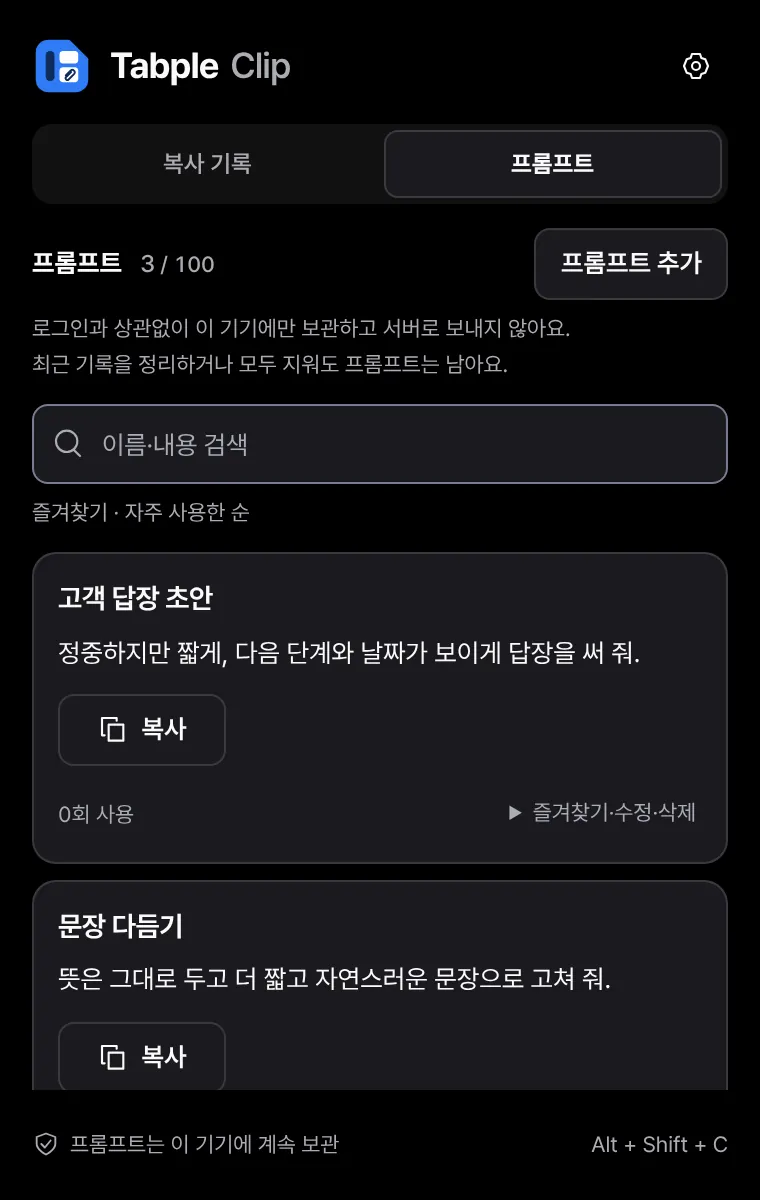
- Prompt library and quick memos
- Without signing in
- 10 recent clips · 1 shortcut
- With your account
- 30 recent clips · 3 shortcuts · Save to Tabple memos

Tabple Tasks
Today's tasks
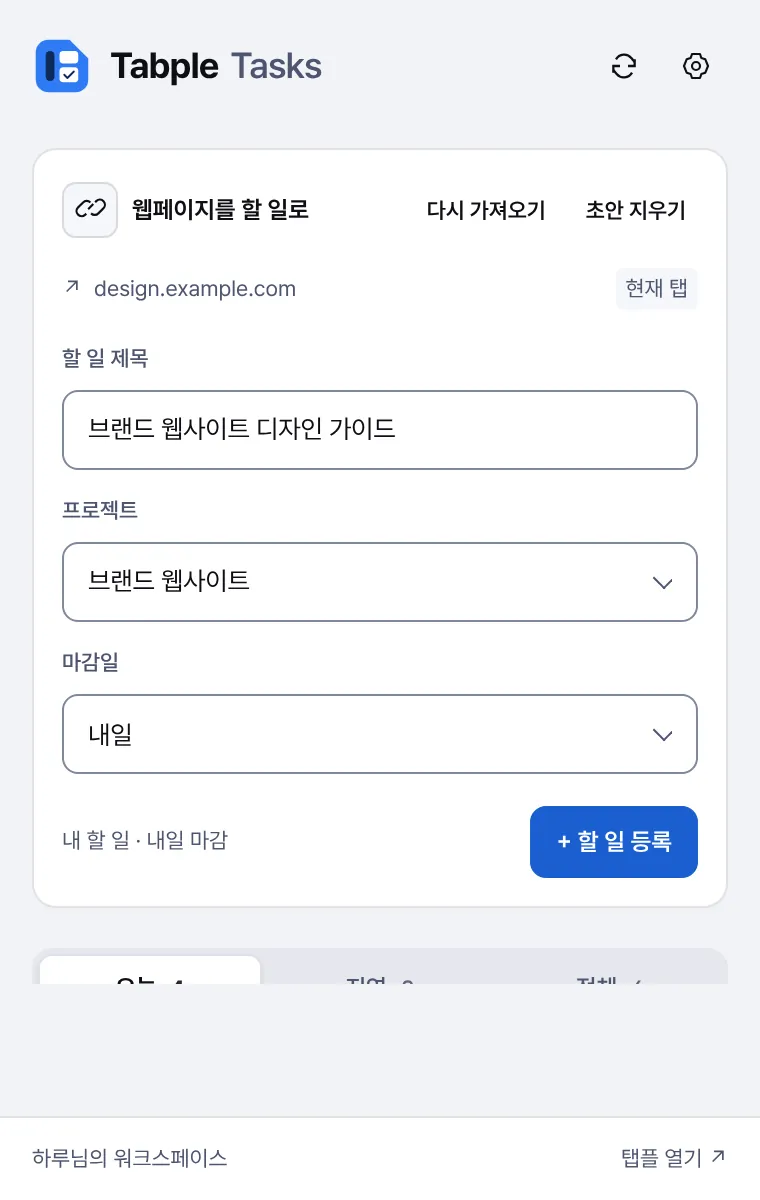
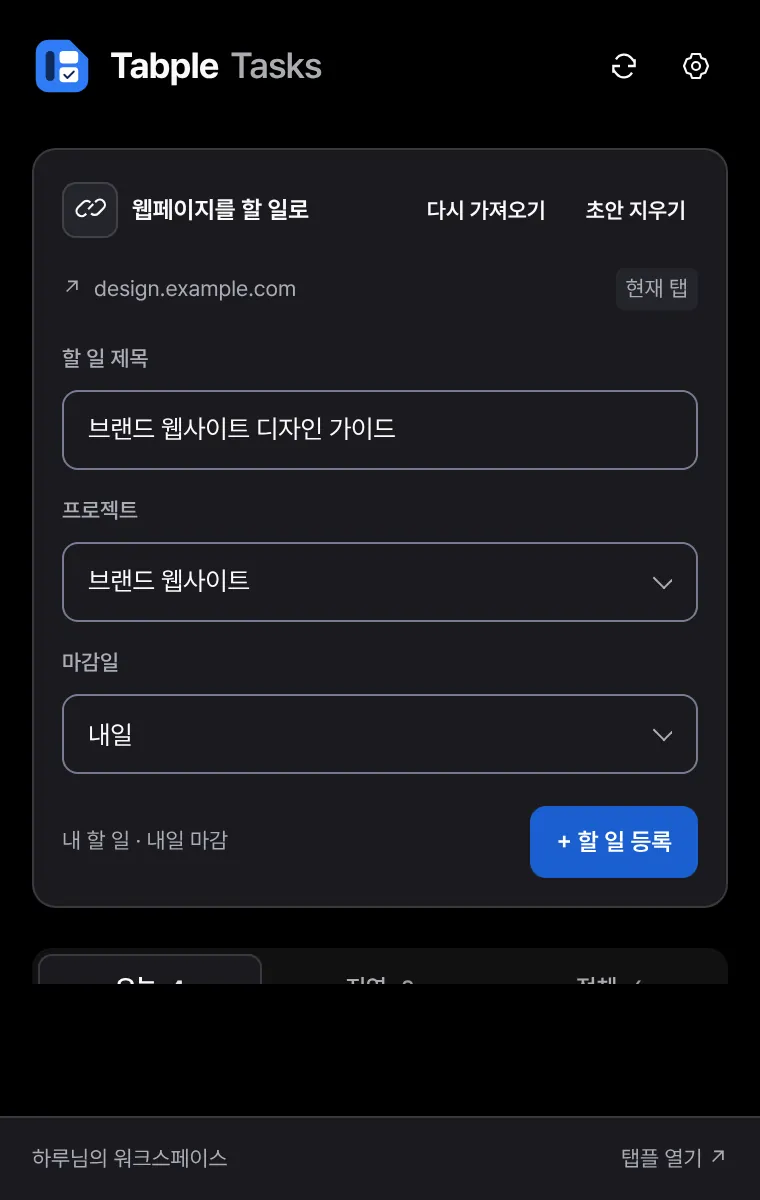
Check today's and overdue tasks beside the page, and turn the page you are reading into a task.
- Today, overdue and all tasks
- Add the current tab as a task
- Edit titles and due dates, then complete
- Without signing in
- 20 tasks on this device
- With your account
- Project tasks assigned to you · Default project and due date

Tabple Calendar
Schedule and meeting reminders
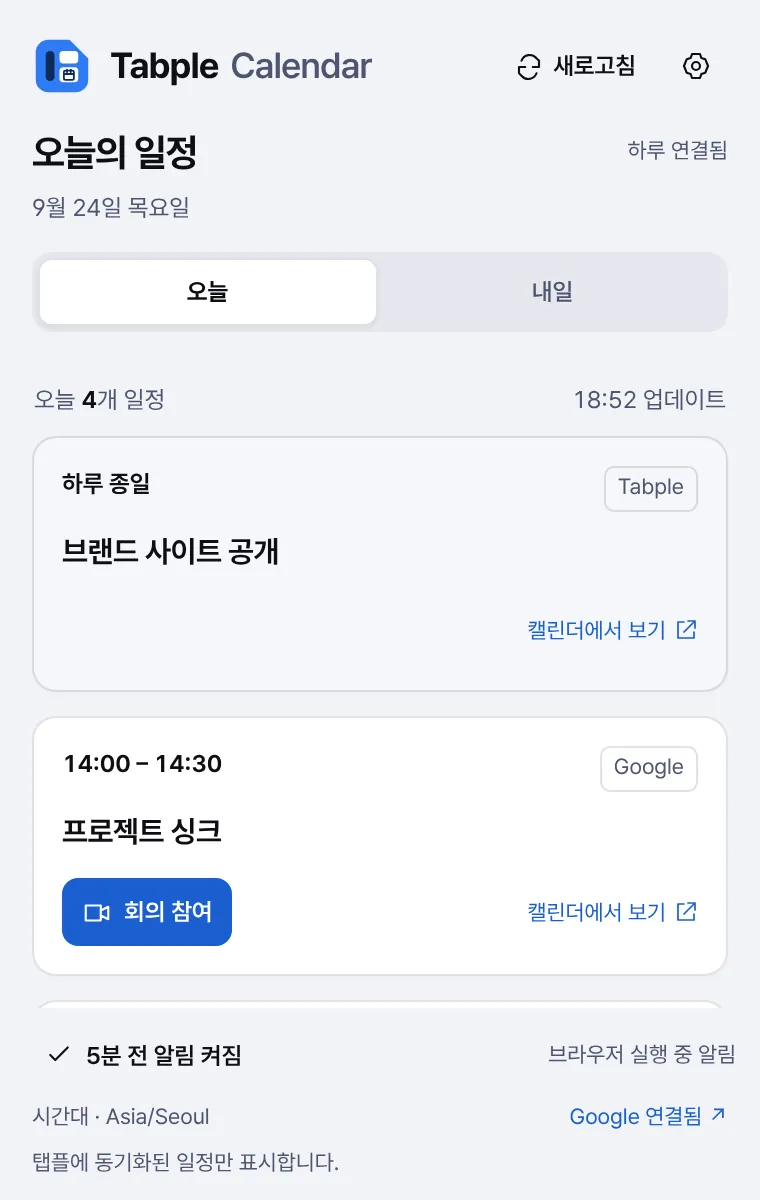
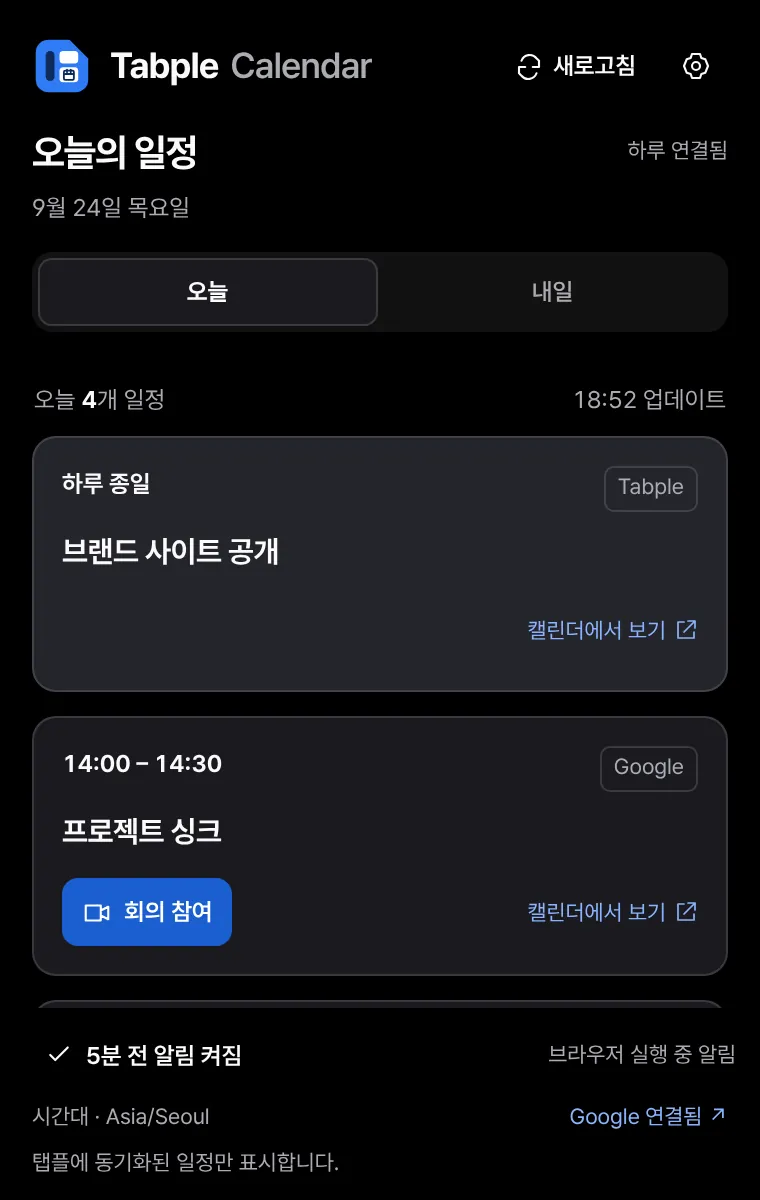
Shows today's schedule and the time left until your next meeting, and reminds you before it starts.
- Time left until the next meeting
- Reminders 5, 10 or 15 minutes ahead, with quiet hours
- Join Google Meet, Zoom and Tabple Meet calls
- Without signing in
- 10 events on this device
- With your account
- Today's and tomorrow's events from your Tabple account
Chrome Web Store coming laterWhale Store
Tabple Routine
Routines and rhythm streaks
Check off your daily routines and look back on the day with a 30-second journal.
- Check off and undo routines
- The last 7 days of practice
- 30-second end-of-day journal with draft recovery
- Without signing in
- 3 routines · 7 journal entries
- With your account
- Tabple routines · Activity streak · Journal
Four moments, shown on real screens
These are captures of the extensions themselves, filled with sample data rather than a real account.
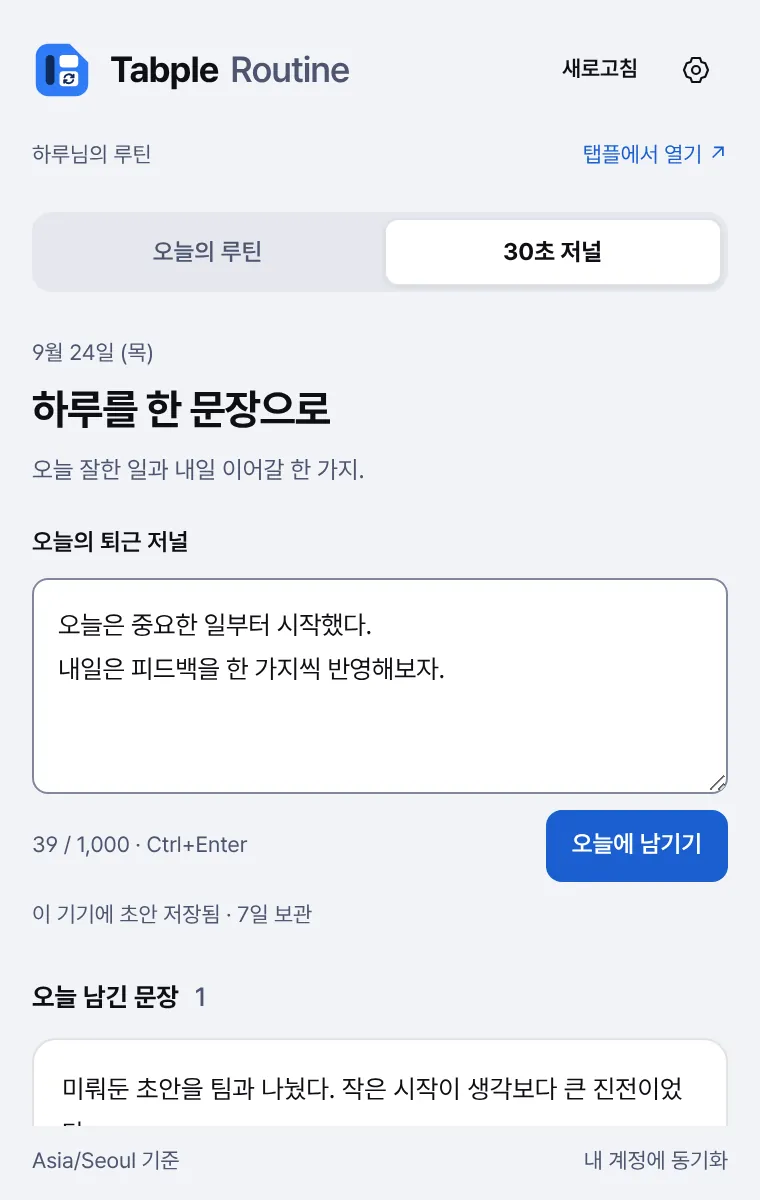
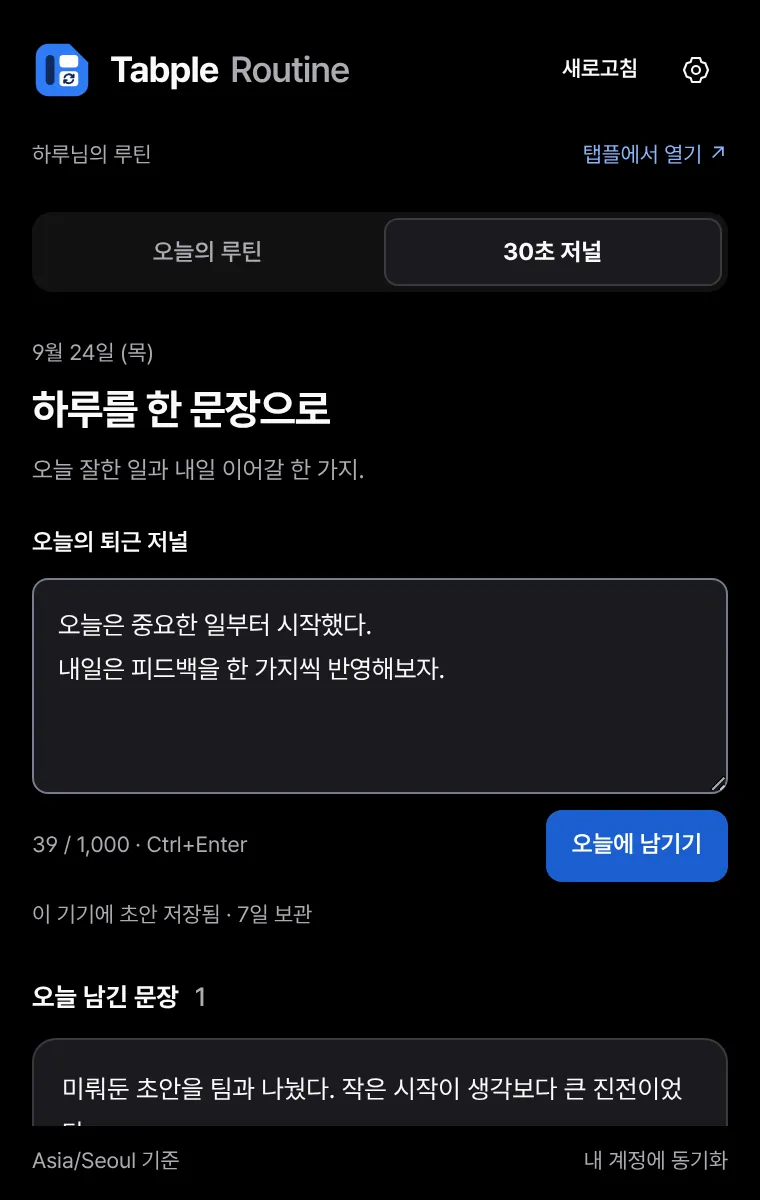
Start without signing in. Connect when you need to.
The first time you open one, choose 'Use on this device' or 'Connect a Tabple account'. Connecting reuses your Tabple sign-in in the same browser.
- Signing in does not upload this device's records. For tasks, events and routines, only the items you choose are copied to your account.
- All four apps can export this device's records to a JSON file and restore the records you choose from it.
- Account limits follow your Tabple plan.
| App | Without signing in | With your account |
|---|---|---|
| Clip | 10 recent clips · 1 shortcut | 30 recent clips · 3 shortcuts · Save to Tabple memos |
| Tasks | 20 tasks on this device | Project tasks assigned to you · Default project and due date |
| Calendar | 10 events on this device | Today's and tomorrow's events from your Tabple account |
| Routine | 3 routines · 7 journal entries | Tabple routines · Activity streak · Journal |
In Chrome, and in Whale.
Both browsers show the same screens. Only the way you open them differs.
Chrome
Click the extension icon in the toolbar to open it in the side panel.
Works on Chrome 120 or later.
Whale
Click the extension icon in the sidebar to open it there.
In Whale, install the Whale Store version built for the sidebar.
Clip shortcuts
- Alt + Shift + C
- Open Clip
- Alt + Shift + 1 · 2 · 3
- Copy a saved phrase
If a shortcut clashes with another one, change it in your browser's extension shortcut settings.
Records stay within the limits you set.
The privacy policy lists, app by app, the information and permissions each extension uses.
Copy history starts off
Clip records only after you turn on copy history. It skips password fields, text shaped like card or resident registration numbers, and incognito windows.
Connected only when you choose
Your Tabple sign-in is not read until you choose to connect. You can disconnect at any time in the app settings.
Talks only to Tabple
The extensions send nothing to any server other than tabple.com. There are no ads or usage analytics.
Records kept on this device
Records kept on the device are not separately encrypted. If you share a browser profile, add sensitive sites to Clip's excluded sites.
Before you install.
Common questions about pricing, browsers and connecting an account.
Do they cost anything?
The extensions are free to install and work on this device without signing in. Once you connect a Tabple account, account limits follow your plan.
Can I use Tabple Calendar in Chrome?
For now it is only available from the Whale Store. Clip, Tasks and Routine are in both the Chrome Web Store and the Whale Store.
Can I use the Chrome Web Store version in Whale?
In Whale, install the Whale Store version. It is built separately for the Whale sidebar.
Do they work in mobile browsers?
They work only in desktop Chrome and Whale. On your phone, use the Tabple mobile app.
What happens to this device's records when I sign in?
They stay on this device and are not uploaded automatically. Sign out to see them again. For tasks, events and routines, you can copy the items you choose to your account in the app settings.
Keep Tabple beside your browser.
Start light with an extension, and continue in the Tabple web and apps when you need projects, documents and conversations.