Calendar — day/week/month plus a time grid
A workspace-wide calendar — handle your personal events and the tasks from every project together, in day, week, and month views with 30-minute slots.
Switching views (D / W / M)
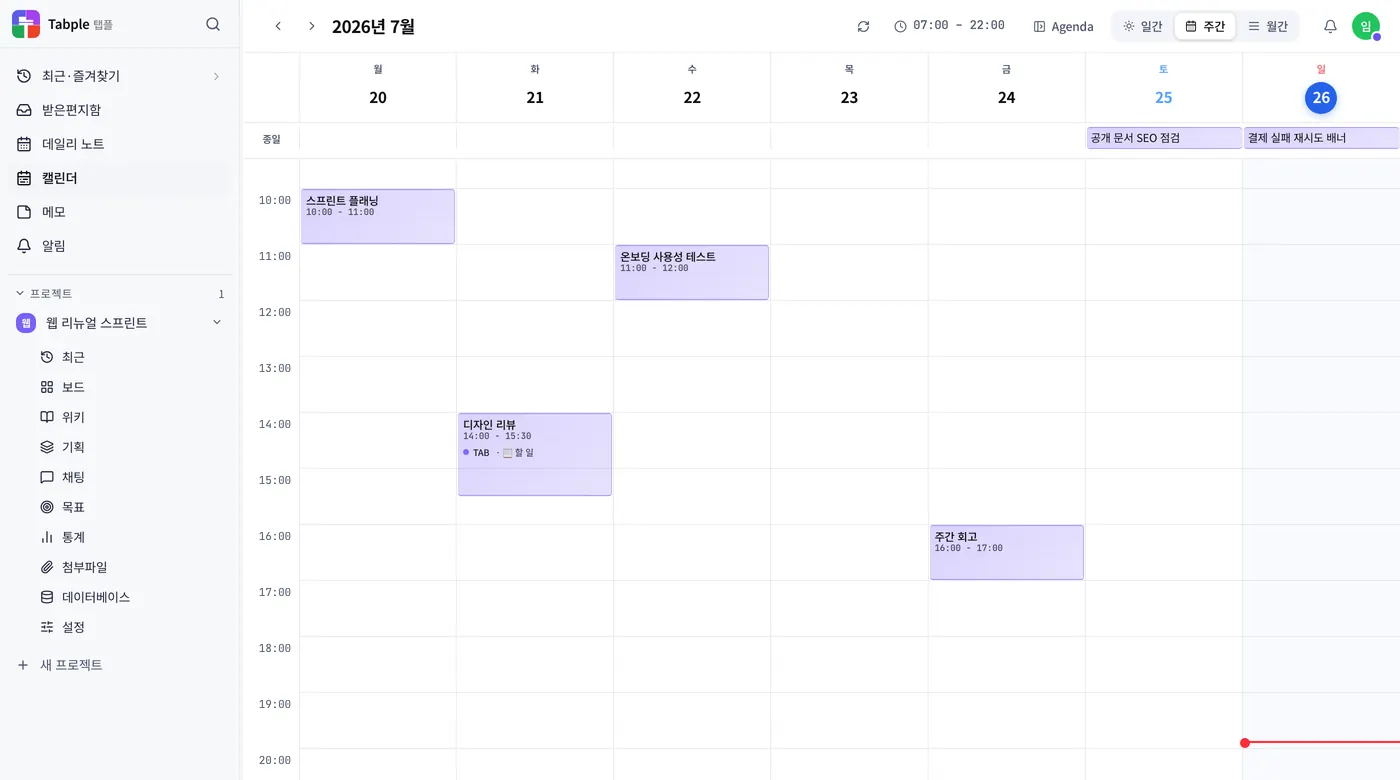
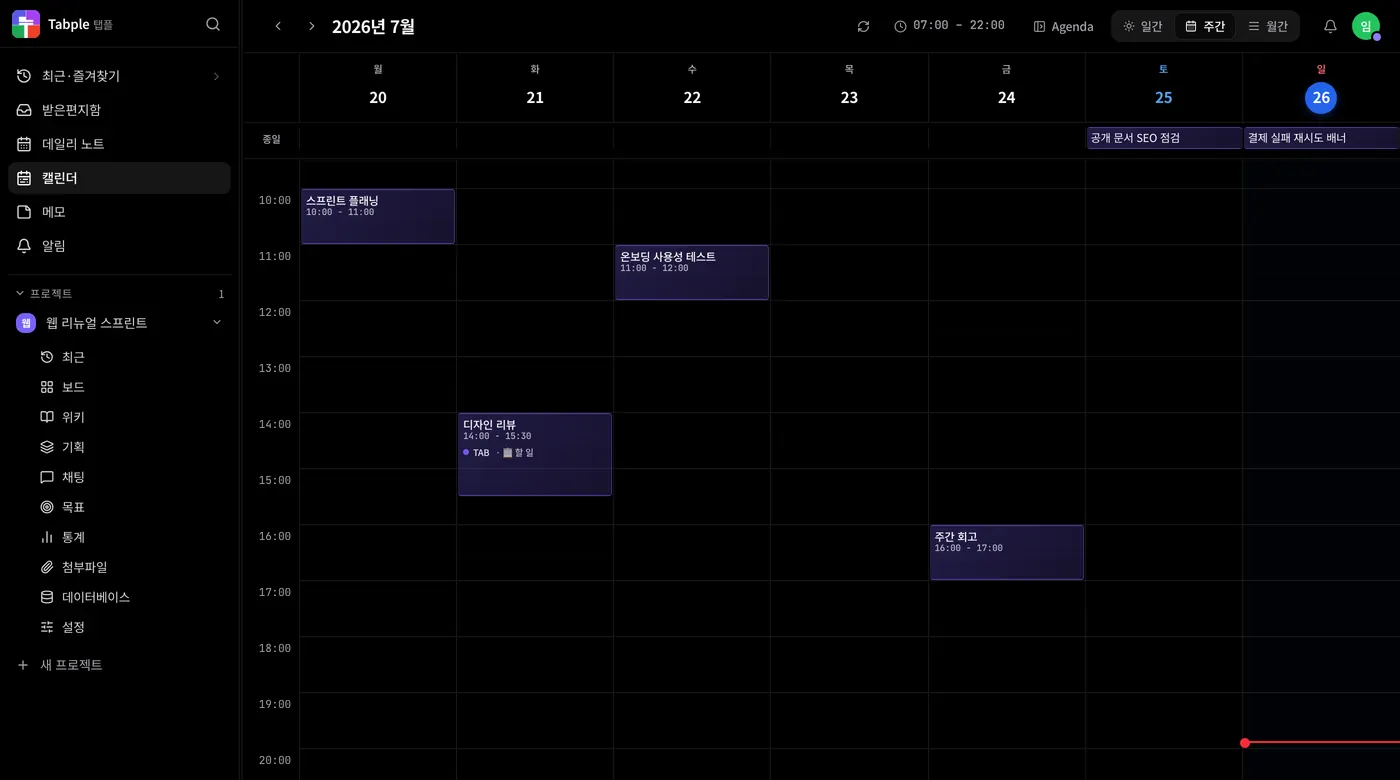
Day / Week / Month views
D+W+MClick the view switcher (Day, Week, Month) at the top, or press D / W / M. Day is a 30-minute time grid, Week is seven day lanes, and Month is a card per date. Korean public holidays show a red date and their name.
Previous, next, today
TMove between periods with the ← → buttons in the header (the ← → keys work too), and press T to jump back to today. R reloads the list.
Choose what to show with the Display menu
In the header's Display menu, switch Show tasks, Archived shown, and Declined events on or off. When you have changed any of them, the button shows a count so you know something is hidden or added. Export as .ics in the same menu saves the tasks currently loaded to an .ics file.
Events and tasks, and how they differ
- Events — no project to choose. A dentist appointment or a dinner after work goes in as it is, and nobody but you can see it until you invite attendees.
- Tasks — they belong to a project and a column. They carry an assignee, labels, and comments, and the same item moves on the board.
- Telling them apart on screen — an event is a solid filled chip; a task is a pale chip in the project colour with a checkbox mark in front. The shapes differ rather than the colours, so they survive a black-and-white printout. A screen reader reads “event” or “task” before the title.
- What an event holds — a title, a time or a whole day, a place, a link, and a note. Open an event and you can attach related documents or tasks; the list only keeps what you can still open.
- Separate allowances — events count against the monthly new-event limit above, and tasks against the unfinished-task limit (100 on the free plan). They don't share one limit.
Two kinds of thing sit on the calendar. An event is an appointment; a task is work to be done. You pick one when you create something, and the default is a task. The kind you switch to in the form carries over to the next create while that tab stays open, and reloading returns it to task. New native event masters are limited to 50 per month on Free and 5,000 on the paid plans. The counter resets on the first day of each UTC month; deleting events does not refund usage. Editing a recurring occurrence, external calendar sync and viewing events do not count. Unfinished tasks have a separate quota.
Creating and moving events by dragging
Drag across empty time
Drag an empty area of the week or day time grid and the create window opens. Choose event or task at the top; a task also asks for a project and an assignee. On mobile, press and hold for a moment first, then drag.
Move and resize blocks
Drag an event block to a different time, or grab its top or bottom edge to change the start or end time. In the month view, drag a task chip to another day; if it has both a start and a due date, both move by the same number of days. Events can't be dragged there, so change an event's time in its detail panel. Tasks in projects where you only have view access can't be dragged either.
Keyboard navigation
←+→A selected task block moves with ↑↓ (15 minutes at a time) and ←→ (one day at a time), and Shift+↑↓ adjusts its length. For an event block, press Enter to open its detail panel and change the time there. On an upcoming occurrence of a repeating task, Delete skips that occurrence.
Visible hour range
Show working hours only
Click the hour-range chip in the header (09:00–18:00, for example) to narrow the hours on screen. The range you pick is saved to your account and is still there next time.
Recurring events
Rules and upcoming occurrences
Setting a repeat does not create all the later occurrences at once. Only one original carrying the recurrence rule is stored, and the calendar draws the later occurrences for whatever range you are looking at. Open or move an upcoming occurrence and only that one becomes a real item.
Single exceptions and older groups
Skipping one upcoming occurrence leaves the rest alone. A repeat can be set on events and on tasks alike, and for groups created earlier as several separate items you choose This event only, This and all following events, or All events in the series when editing or deleting.
Carrying overdue work into today
Open the Upcoming panel
Press Upcoming in the calendar header to open the side panel. Overdue work is collected at the top, looking back over the last 30 days.
Move them to today at once
Press “N to today” in the notice and that many due dates move to today. At most 50 move per press, so press it again if more are left.
Undo
Anything you moved is marked Carried over with its original date. Press Undo at the top of the panel to put them all back, any time that day.
Work you didn't finish slides off the screen once its date passes. The calendar gathers it back up in one place so you can pull it into today in a single move.
Inviting attendees and responding
Add attendees
Open an event and choose Add attendees, then pick from people on your projects or people you have messaged directly. An event can have up to 50 attendees. Next opens a “You are about to share this event” confirmation that tells you invitees will see the title, time, location, notes and attendee names, and will get a notification. Nothing is sent until you choose Send invitation.
When you are invited
An invited event shows on your calendar right away and you get a notification. Open it and answer Yes, Maybe, or No; the organizer is notified of each response. If you were invited as optional, a note says you don't have to attend. For a repeating event, one answer applies to every occurrence.
Declining or leaving
Answer No and the event is hidden from your calendar. Turn on Declined events in the Display menu in the header to see it again, and change your answer to bring it back. Choose Leave event to remove it from your calendar and notify the organizer; for a repeating event you leave every occurrence. The organizer has to invite you again for you to rejoin.
Managing attendees and canceling
The organizer can remove people from the attendee list. A removed person can no longer see the event, is notified that it was canceled for them, and must be invited again to rejoin. Cancel an event and attendees are notified and the event stays marked Canceled; delete it once more to remove it completely. Attendees who still see a canceled event can use Clear from my calendar to remove it from their own calendar only, and the organizer isn't notified.
An event is visible only to the person who made it by default. Add attendees and the event appears on their calendars too, and each invitee can answer whether they are coming.
Decorating your calendar
Open Decorate
Choose Decorate in the calendar header and the view switches to Month with a decoration panel on the right (below the grid on narrow screens). The panel has three tabs: Calendar, This month, and Date. Choose Decorate again or press Esc to finish. Turn off Show decorations in the panel to see the plain calendar while keeping what you made.
Change the whole calendar's look
On the Calendar tab, choose a preset (Default, Kraft, Notebook, Journal, Spring, Summer, Autumn, or Winter) to change everything from the paper to the chip mark, plus the decoration color, in one go; you can still adjust each one afterward. Paper is Plain, Grid, Dot, or Lined; Paper tone is Default, Cream, Kraft, or Mist; Date style is Circle or Numbers only; Grid lines are Solid, Dashed, or Soft. Event chips change only their outline and a small mark before the title, so text and fill colors stay as readable as before. The decoration color is used for months where you haven't picked a cover color.
A month's cover and its own look
On the This month tab, set a cover emoji, a title (30 characters), a note (60 characters), and a cover color, and the cover appears above that month's grid. Turn on A different look for this month to use a different paper, paper tone, date style, grid lines, and event chips for that month only; turn it off to go back to the Calendar tab's look. Clearing all of a month's decorations removes the cover, look, and date decorations together, and an undo notice appears right away.
Mood, highlights, and stickers on a date
On the Date tab, pick a day and press a Mood (Great, Good, Okay, Bad, or Awful) to paint a highlight color and its meaning together; press it again to clear it. You can also set the highlight color and its meaning (up to 20 characters) yourself. Color alone doesn't carry meaning, so write the meaning too and screen readers will read it. Choose stickers from the groups, up to 3 per day; turn on Stamp mode to pick one sticker and click many dates to place it, clicking again to remove it, and press Esc to finish. Clear this date's decorations removes everything for that day at once.
Dress up the month view like a personal planner. Decorations are visible only to you, so they never reach shared events, attendees, .ics subscriptions, or external calendars, and they don't apply to a project board's calendar. They are drawn only in places that don't cover event chips, date numbers, or today's mark, and every plan can use them.
External calendars and Tabple Meet events
- Sending to Google and Outlook calendars — connect Google or Outlook (Microsoft 365) under Calendar integration, and your Tabple tasks are sent to that calendar as events. It runs one way, from Tabple outward; events from the external calendar do not come into Tabple. In Sync details you choose the target calendar, Sync only tasks assigned to me, Exclude completed tasks, Exclude tasks without a due date, Create as all-day events, a title prefix, and an event color, and Send to Google (Send to Outlook) sends everything right away.
- Connections and disconnecting — the free plan allows one external calendar in total across Google and Outlook; the paid plans can connect both. Disconnecting stops syncing; events already created in the external calendar stay.
- iCal subscription — issue a URL on the same screen and paste it into Apple Calendar, Google Calendar, or Outlook as a subscription, and the tasks you are assigned or created (due from the last 30 days to the next year) follow along read-only. Importing copies once and never updates. Reissuing the URL invalidates the old one immediately, so you have to subscribe again everywhere; revoking it ends the subscription.
- Tabple Meet events — a booking confirmed in Tabple Meet arrives on your calendar as an event marked Tabple Meet. Because Tabple Meet made it, it is read-only here: to change or delete it, use Open in Tabple Meet in the event details. These events don't count toward the monthly new-event limit either.
- Turning the Tabple Meet calendar link on and off — in Tabple Meet under Settings › Calendar connections, select Connect Tabple Calendar and Tabple Meet reads the times of your events (times only, no titles) and doesn't take bookings then. The Tabple Calendar integration card in Settings → Integrations shows the connection status and how many events were added, and Disconnect ends it, which also removes the events Tabple Meet added from your calendar. Your Tabple Meet sign-in connection stays.
In Settings → Integrations you can connect external calendars and receive Tabple Meet bookings on your calendar.